
Is everything up?
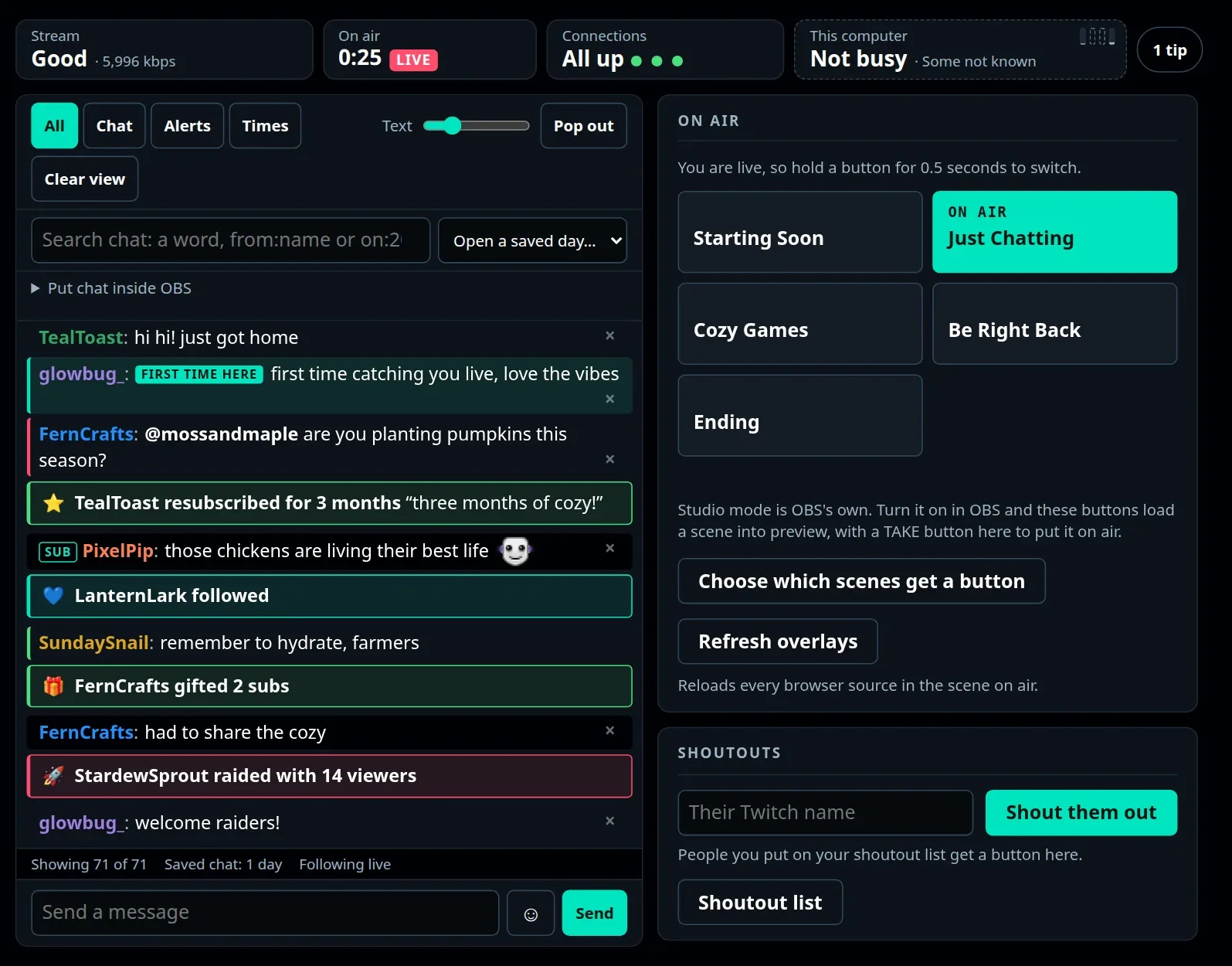
One light. Green means you're good. If something needs you, it says what and where.
Private beta · Windows · OBS · Twitch
StageWatch keeps an eye on your stream and tells you in plain words when something needs you, and what to do about it. No engineering degree required.
Why StageWatch
Your stream already knows when it's in trouble. It just doesn't tell you in a way you can use mid-game. StageWatch does.
One light. Green means you're good. If something needs you, it says what and where.
Not a wall of numbers: a sentence saying what's wrong and what to try, the moment it matters.
Find out before you go live, not from chat halfway through.
The little jobs before, during and after every stream, handled for you if you want them.
Your PC, your data
Nothing to sign up for, no analytics, no tracking. It talks only to what you connect yourself.
One setup file. No admin rights, nothing else to install, no command line.
It changes nothing in OBS unless you ask it to, and never mid-stream behind your back.
A Windows PC with OBS Studio 28 or newer, and Twitch. Discord is optional.
Early access
StageWatch is in private beta. Tell us a little about your stream and we'll be in touch when there's a place.
Yes, during the beta.
No. You sign in on Twitch's own page, and you can withdraw access any time.
Not yet: OBS Studio and Twitch for now.